Home
Getting Started
My Profile
My Company
Sitting Courses
Managing People
Performance Reviews
Managing Courses
Creating and Managing Courses
Adding Rich Content to Courses
Making changes to an active course
Making courses available on demand
Creating an external link to a course or pack
Assigning categories to a course
Assigning Courses to Teams
Course Scheduling and Distribution
Downloading a Course as a PDF
Rewards for Courses
Course Content Review
External Courses
Course Templates
CPD
Professional Development Planning (PDP)
Account Page
Advisors and Clients
Learner Functionality
Identify the Date of an External CPD Entry
How to Identify the Date of an External CPD Entry
Go to the CPD section located in the bottom left-hand corner of the screen.
Select "External CPD" from the available options.
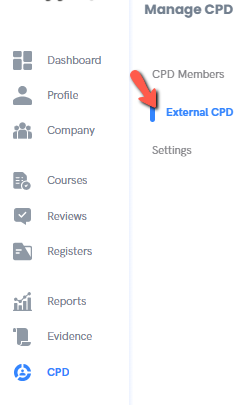
3. From the "Status" dropdown menu, choose "Verified" to filter your entries.

4. You will now see a list of your verified CPD entries.
5. To view the date you entered the CPD, click on the title of the relevant entry.
6. The detailed information will appear, including the date it was submitted or verified.
Copyright © Dacreed 2022